
Getting Help With Practice
Frequently Asked Questions
How often is my data updated? Claims data typically takes 30 to 90 days to be fully processed after care is delivered. Practice displays the most current available data at the time of each refresh. The most recent activity may not yet be reflected.
Why does my Metric value differ from my expectations? Clicking on the drill-down of any metric provides you the rules and calculations for every Metric.
What does "N" mean on a Metric card? "N" represents the number of patients included in the calculation for that Metric. Smaller values may produce more extreme or volatile results.
Are my peers able to see my data? No. Your individual Metric scores are visible only to you but are included in your peer’s benchmarks All peer comparison data shown to you and others are anonymized and aggregated, making them non re-identifiable.
How are my peer groups determined? Peer groups are defined using your self-reported specialty. Then, we show you multiple peer groups including the facility, state, and national level. Groups may differ based on which location you have selected.
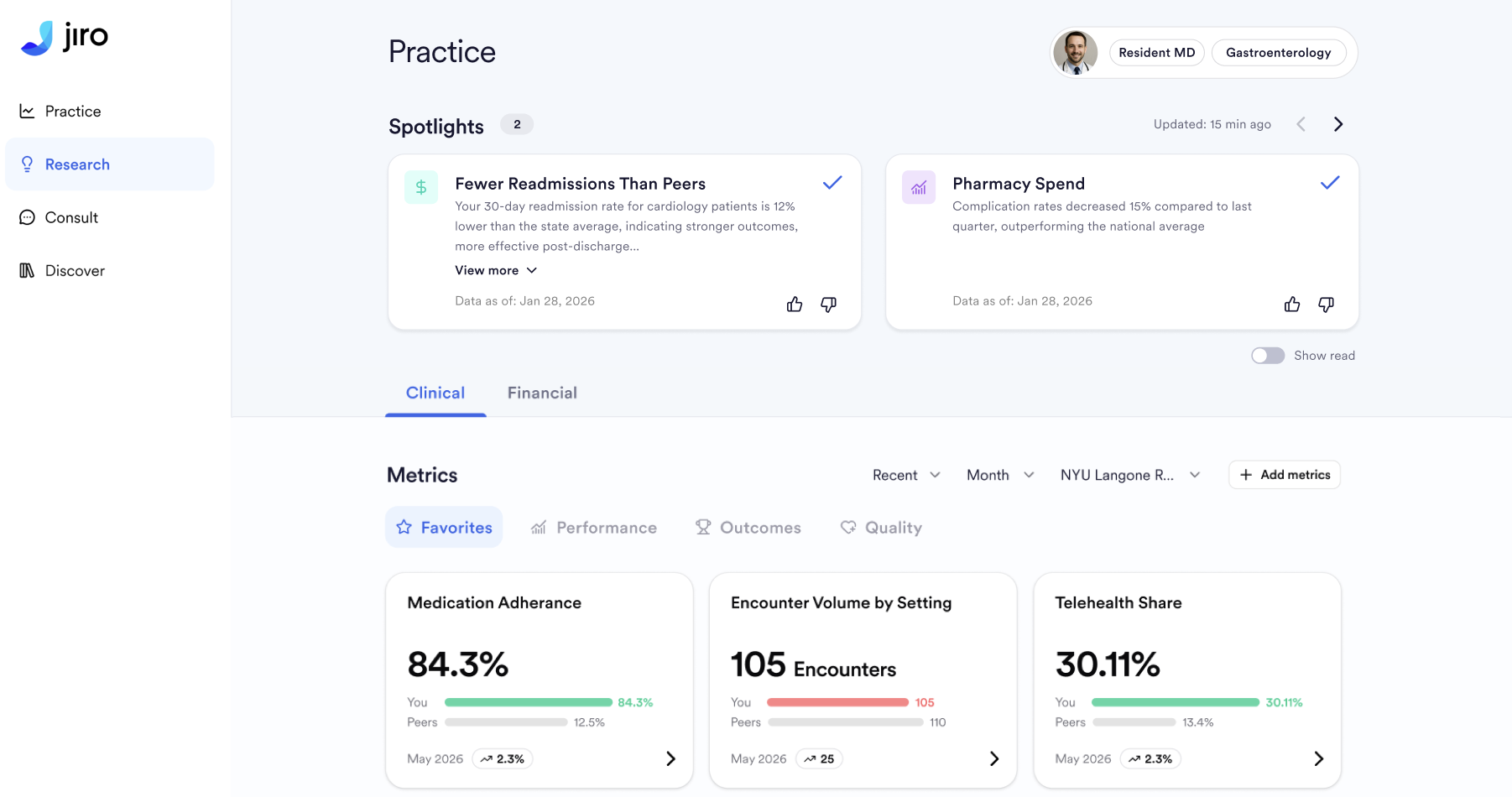
What is a Spotlight and how is it selected? Spotlights are system-generated highlights from your practice data. They are surfaced when a metric falls in the top or bottom 15% nationally, within your state, or within your facility; when there is greater than 10% month-over-month change over two consecutive months; or when you rank in the top percentile for a specific diagnosis, procedure, or prescription at the state or national level. Approximately three to four new Spotlights are surfaced each week.
Can I select which Metrics appear in my dashboard? Yes. You can favorite specific Metrics in your settings to prioritize them in your view.
What should I do if I think a Metric is incorrect? Use the thumbs up/down feedback icons available on every Metric card and drill-down view. You can also contact Jiro support directly with specific concerns.
Is this data shared with insurance companies or employers? No. The data in Practice is for your personal clinical use only. It is not shared with insurers, employers, or any external parties for performance evaluation or credentialing purposes.
What should I do if I see data that appears to belong to another physician? Contact Jiro support immediately if you believe data is incorrectly attributed to your account.
Common Issues
No data appears in the Practice This may occur if your NPI has not yet been matched in the claims dataset or if we have no existing data for you. Use the help button or contact Jiro support for assistance.
A Metric value appears too high or too low Check the sample size indicator (N) on the Metric card. Use the feedback button for further help if the issue is unclear.
Time trend is missing or incomplete The time trend chart may be incomplete if you have limited claims data history. Coverage can improve over time as data continues to accumulate.
Peer comparison labels appear incorrect If peer group labels look mismatched, report this using the help button.
An expected Metric is not appearing Some Metrics are specialty-specific. If you believe a Metric should be visible for your specialty or there is a new metric you would like to be available in Jiro, use the help button.
Referral data does not match expectations Referral data is derived from claims patterns and captures only completed referrals where the referring provider is explicitly named. It is a directional indicator and may not capture all referral activity.
Dashboard is loading slowly Refresh your browser. If the issue persists, contact support so we can troubleshoot the problem.
Contact Support
If an issue persists after following the steps above, use the help button or contact support via support@jirohealth.com. To access the help button on iOS, click the “More” tab in the bottom right corner of the app, and click “Get help”.
