
How Discover Works
- Overview
- How Content Reaches Your Feed
- Data Sources and Refresh Cadence
- Giving Feedback In Discover
- Important To Remember
- Related Articles
Overview
This article describes how Discover identifies, processes, and delivers personalized medical content and to your feed, from the initial profiling step through to weekly updates and ongoing feed refinement.
How Content Reaches Your Feed
Initial Profile Seeding
When you join Jiro, your selected specialty and NPI is used to identify your patient population through real-world claims data. This seeds your initial feed with content relevant to your clinical area and specialty.
Continuous Content Monitoring
Jiro scans PubMed and other medical journals, textbooks, clinical trials, and drug references for new publications relevant to your profile on an ongoing basis.
Content Summarization
Each piece of content is processed into a structured, clinician-focused summary that includes clinical takeaways, context for why the findings are relevant, and suggested next steps.
Loading State
Discover may take up to five minutes to populate after sign up. During this window, users may see a spinning wheel alongside a message reading "We're pulling your personalized content. This should only take a few minutes." Once the process is complete, Discover cards will populate to your page.
Awarding of AMA PRA Category 1 credit(s)™
After reviewing a summary, clicking the “Claim CME Credit” button, and completing the associated acknowledgement and attestation statement, 0.25 AMA PRA Category 1 credit(s)™ are awarded to your profile.
Feedback Refinement
If your feed feels off target, use the thumbs down feedback button to flag irrelevant content.
Data Sources and Refresh Cadence
Where Content Comes From
Discover draws from three primary source categories:
- PubMed — Peer-reviewed medical literature maintained by the U.S. National Library of Medicine
- ClinicalTrials.gov — Active and completed clinical trials
- Podcasts — Peer-reviewed medical literature, specialty societies, Peerview Institute, and accredited universities
Refresh Cadence
Weekly, on a rolling cadence based on your sign-up date.
Giving Feedback In Discover
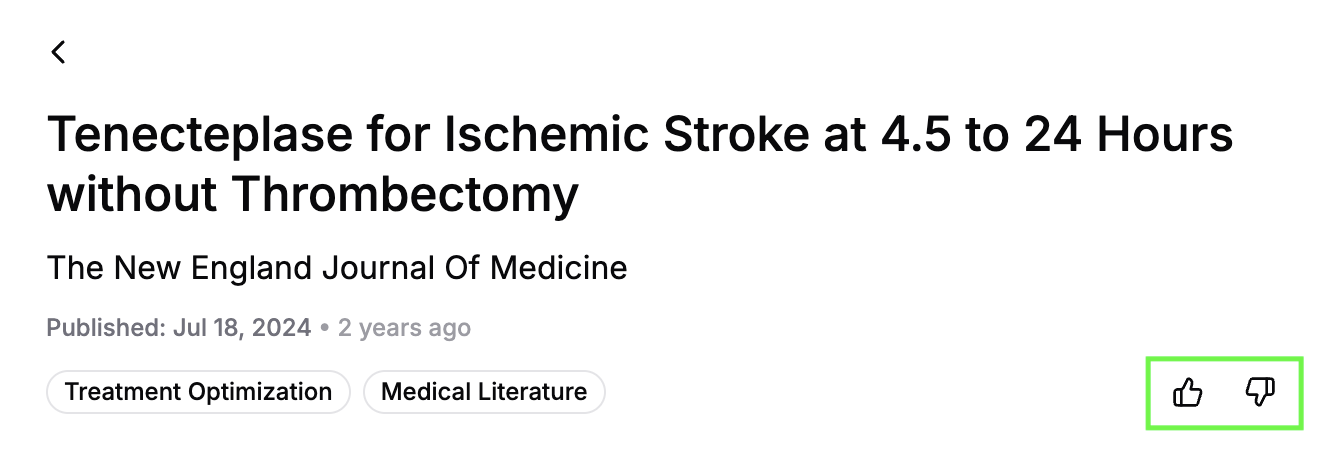
Feedback icons are found by clicking into a Discover card. Below the title and metadata, you will find the thumbs-up and thumbs-down icons.
- Click into a Discover card.
- Select the thumbs-up or thumbs-down icon, both positive and negative feedback is useful to Jiro. Clicking an icon will open the "Tell us more" window.
- Optionally, you can describe your experience by choosing a category and providing specific details in the text box.
- Submit your feedback.
Feedback is reviewed by the support team to identify where Discover is performing well and flag any recurring issues around surfaced content. Submitting feedback does not immediately update your feed or remove the content.
Important To Remember
- Highly focused subspecialties may see fewer new articles in a given week due to the volume of publications in that area.
- Recently published studies may take time to appear as they move through the processing pipeline.
- Article summaries may occasionally miss nuances in the source material. Consult the full study before applying findings to clinical decisions.
- Filters are a useful way to search your available Discover summaries, navigating away from the page or refreshing will reset your filters.