
Intro To CME
- Overview
- How AMA PRA Category 1 credit(s)™ Are Earned
- Earning Periods
- Claiming Your AMA PRA Category 1 credit(s)™
- Downloading Your Transcript
- What's On The CME Credits Tab
- Accreditation & Statements
- Important To Remember
- Related Articles
Overview
Jiro is an accredited CME platform. As you use Jiro in your clinical practice, asking questions through Consult, reading Discover literature summaries, or engaging with Research cards, AMA PRA Category 1 credit(s)™ accumulate automatically in your account. No separate CME workflow is required. AMA PRA Category 1 credit(s)™ are awarded to qualifying DOs and MDs, which are uploaded to the ACCME PARS system on an annual basis as required. Other qualifying physicians may be designated credits, but will need to manually upload their transcripts to their respective reporting body.
How AMA PRA Category 1 credit(s)™ Are Earned
Three types of platform activity generate AMA PRA Category 1 credit(s)™:
Consult: Asking a point-of-care clinical query with Consult earns 0.5 AMA PRA Category 1 credit(s)™. Each new query in Consult can contribute to your balance.
Discover : Reading Discover summaries in Jiro earns 0.25 AMA PRA Category 1 credit(s)™. Each qualifying summary viewed contributes to your balance.
Research: Opening and reviewing a curated and personalized Research card in Jiro earns 0.25 AMA PRA Category 1 credit(s)™. Each qualifying Research card viewed contributes to your balance.
No manual logging is required. When you complete a qualifying activity, you must complete an associated acknowledgement and attestation statement. Once that is complete, the corresponding credits move into your balance automatically.
Earning Periods
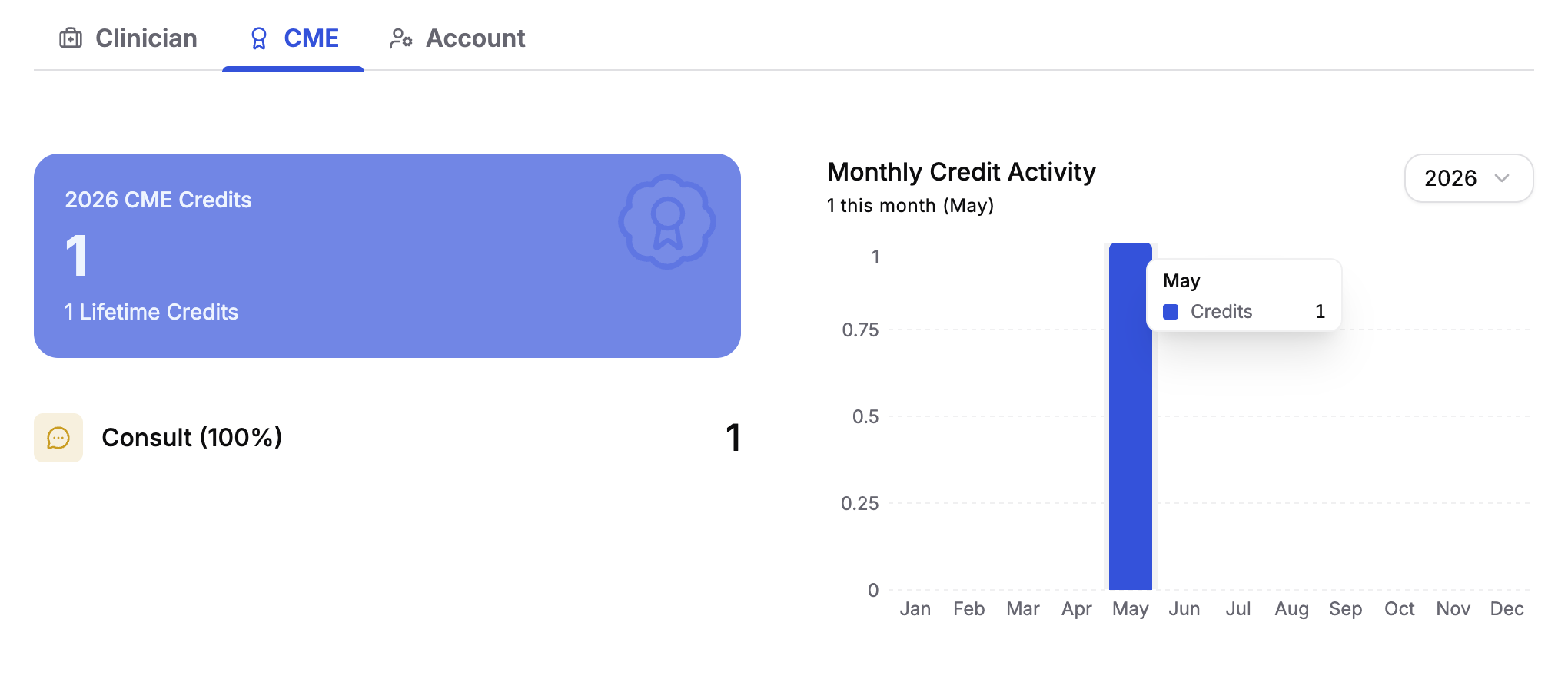
AMA PRA Category 1 credit(s)™ are organized into annual earning periods that run from March to March. Credits earned within a period are tracked and attributed to that period in your activity history and on your transcript. Your profile page displays totals for the current period and your lifetime earned total in the CME tab.
Claiming Your AMA PRA Category 1 credit(s)™
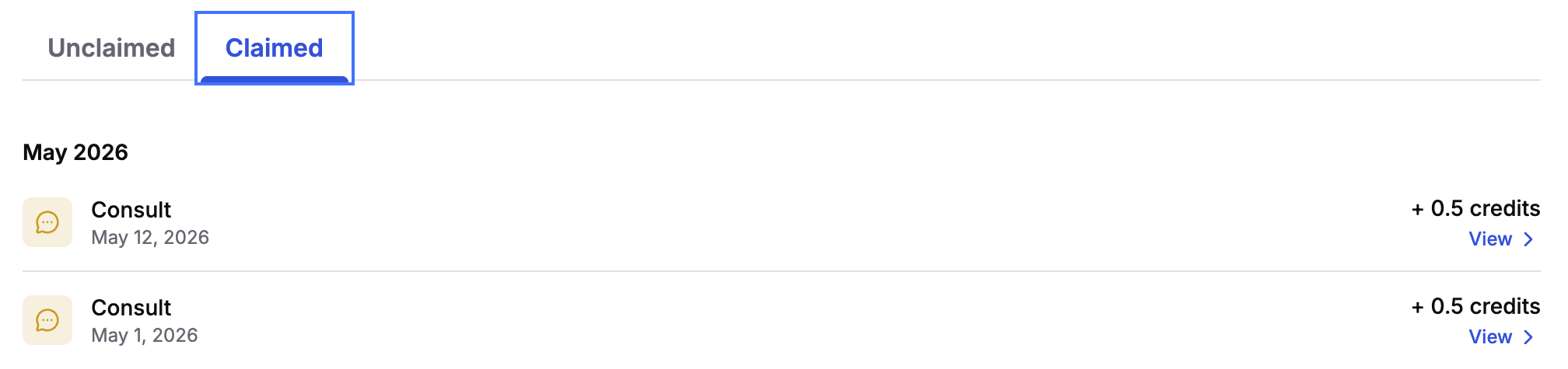
Credits are not automatically claimed, after completing an AMA PRA Category 1 credit(s)™ activity in Jiro, you must click the “Claim CME Credit” button which leads to a corresponding acknowledgement and attestation statement. Once you complete the acknowledgement and attestation, the credit is awarded and logged in your account. For unclaimed credits, you may return and complete the attestation at a later date.
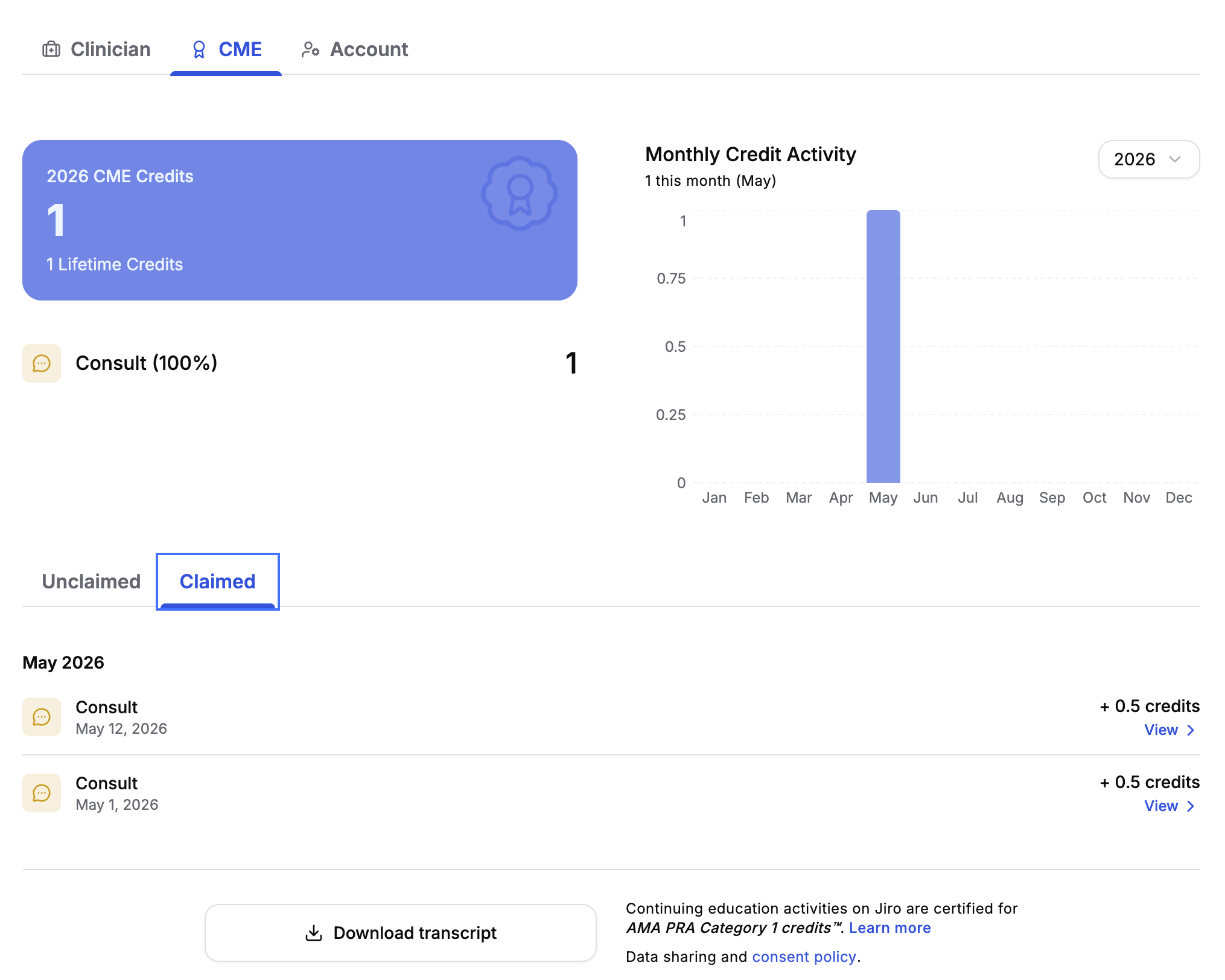
The CME Credits tab on your profile displays your full activity history, organized by unclaimed and claimed status. You can claim credits on individual activities directly from the activity table.
Claiming is irreversible, a claimed activity cannot be unclaimed or modified.

Downloading Your Transcript
Once credits are claimed, you can generate and download an ACCME-compliant transcript from the CME Credits tab. The button is found in the CME tab by clicking “Claimed” and scrolling to the bottom of the page. The transcript is available on demand for any earning period and is formatted for submission to state licensing boards and reporting systems.
Generating a transcript requires a verified state license number on file with Jiro. If you have not yet added your license number, you will be prompted to do so before the transcript can be generated.

What's On The CME Credits Tab
The CME Credits tab on your profile includes:
- A credit summary showing your total for the current earning period, your lifetime total, and a breakdown of credits by activity type with percentage contribution from each.
- A monthly chart displaying your credit activity over time, providing a visual record of how your CME activity has accumulated across the earning period.
- Claimed & unclaimed tabs lists every qualifying activity in the current period sorted by date and activity. Users can finish the process of redeeming any unclaimed credits in the Unclaimed tab by clicking the “Claim credit” button. In the Claimed tab, users can view their awarded credits and the activities associated with the credit.
- A download transcript button to receive a PDF copy of your earned continuing medical education credits
Accreditation & Statements
While AI systems may augment medical knowledge, the final responsibility for clinical decisions always rests with the human professional.
MEDICUSCME requires instructors, planners, managers, and others in control of educational content to disclose all their financial relationships with ineligible companies over the previous 24 months. Any identified financial relationships are thoroughly vetted and mitigated according to MEDICUSCME policy.
None of the planners or others who have the opportunity to control content for this educational activity, including MEDICUSCME planners and managers, have relevant financial relationships with ineligible companies whose primary business is producing, marketing, selling, re-selling, or distributing healthcare products used by or on patients.
Jiro is authorized to award AMA PRA Category 1 credit(s)™ to MDs and DOs through our joint partnership with MedicusCME, an ACCME accredited provider. Credit designations and amounts for specific activities in Jiro are highlighted above.
When a user completes an activity in Jiro where they can claim credit, the user must complete the acknowledgement and attestation statement to be awarded the credit.
Important To Remember
- AMA PRA Category 1 credit(s)™ credits are available to physicians (MD, DO) and other eligible clinicians (NP, PA). Transcripts for physicians describe credits as "awarded." Transcripts for non-physician clinicians describe credits as "designated."
- Non-qualifying clinicians must manually upload their designated credits to their reporting body.
- A verified state license number is required to generate a transcript. You can add or update your license number in the Clinician tab of your profile.
- The CME Credits tab is visible only to eligible clinicians and only when the CME feature is enabled for your account. If you do not see the tab, contact Jiro support.
- Credits accrue against the earning period in which the qualifying activity occurred. Activity from a prior period cannot be retroactively added to a different period.