
How To Earn AMA PRA Category 1 credit(s)™
- Overview
- CME Credits In Jiro
- How You Can Earn AMA PRA Category 1 credit(s)™
- Claiming AMA PRA Category 1 credit(s)™
- How To View Your Credit Balance
- Earning Periods
- How Jiro Reports AMA PRA Category 1 credit(s)™
- Important To Remember
- Related Articles
Overview
Jiro awards AMA PRA Category 1 credit(s)™ to eligible physicians for specific activities within the platform and are awarded without interrupting your workflow and are tracked directly in your account.
Eligibility
Physicians (MDs and DOs) are eligible to earn AMA PRA Category 1 credit(s)™. Nurse practitioners, physician assistants, nurses, pharmacists, and others cannot earn AMA PRA Category 1 credit(s)™ but may receive designated credits to satisfy their own licensing requirements.
Jiro submits all awarded AMA PRA Category 1 credit(s)™ to PARS as required by the ACCME program. AMA PRA Category 1 credit(s)™ are reported to your state or country of licensure annually.
CME Credits In Jiro
Clinicians can earn and be awarded AMA PRA Category 1 credit(s)™ directly within Jiro. Jiro is authorized to issue AMA PRA Category 1 credit(s)™ through a joint partnership with MedicusCME, an ACCME-accredited provider.
How You Can Earn AMA PRA Category 1 Credit(s)™
Eligible activities award the following AMA PRA Category 1 credit(s)™ upon completion:
|
Activity |
Completion |
AMA PRA Category 1 Credit(s)™ Awarded |
| Research | View a Research card | 0.25 AMA PRA Category 1 credit(s)™ |
| Discover | Open and review a personalized Discover summary | 0.25 AMA PRA Category 1 credit(s)™ |
| Consult | Ask a point-of-care clinical question | 0.50 AMA PRA Category 1 credit(s)™ |
To claim AMA PRA Category 1 credit(s)™, you must complete an attestation and acknowledgement for following each activity.
Claiming AMA PRA Category 1 Credit(s)™
Complete a CME-Eligible Activity
Use Jiro to complete one of the eligible activities listed above.
Select "Claim Credit"
Following completion of a CME-eligible activity, Jiro presents the option to claim AMA PRA Category 1 credit(s)™ for that activity.

Complete Attestation and Acknowledgement
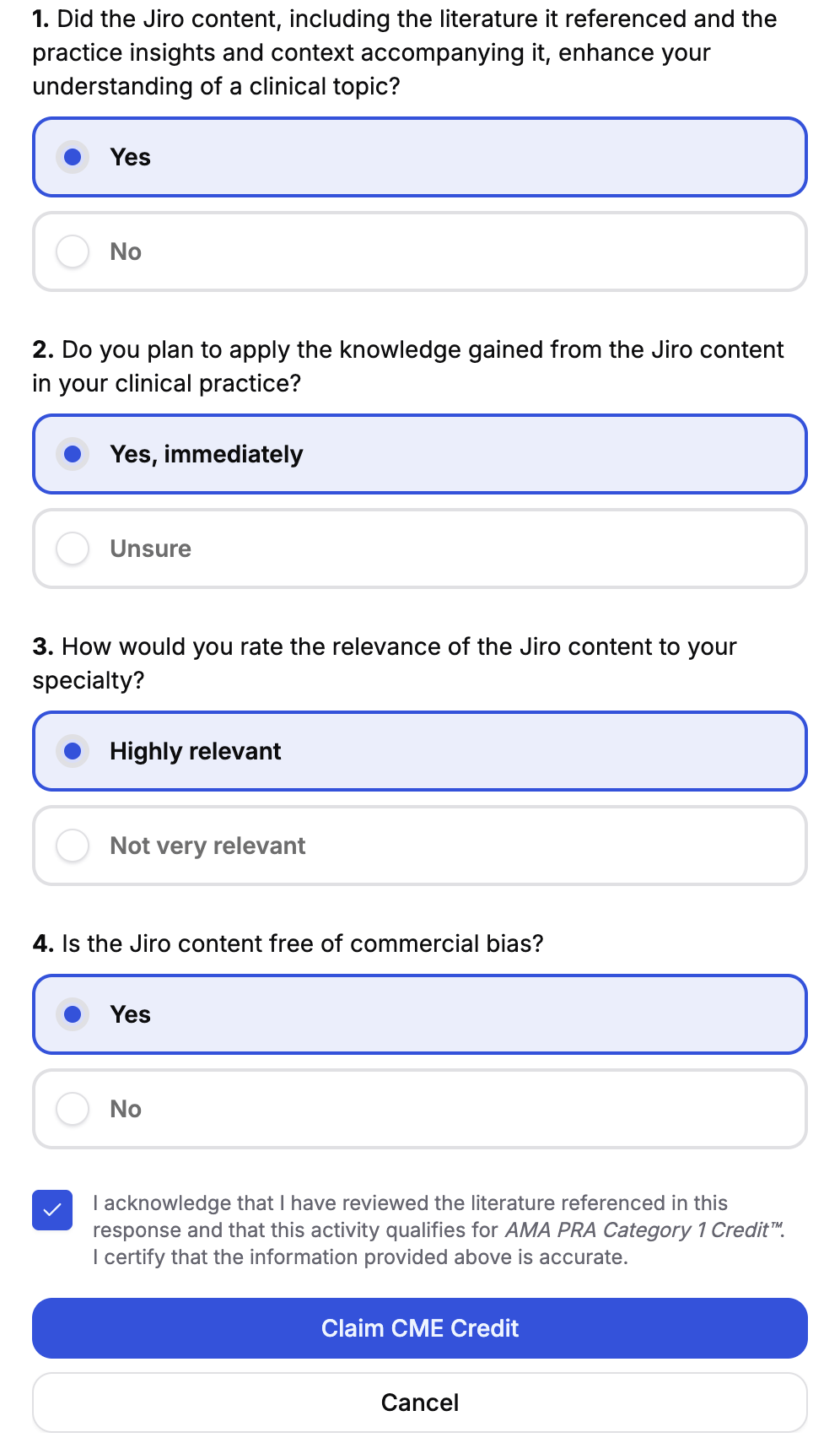
Respond to the questions regarding your experience in Research, Consult, or Discover. This includes whether or not the content enhances your understanding of a clinical topic, if you plan to apply the knowledge to your practice, the relevance of the content to your specialty, and whether the content is free of commercial bias.
AMA PRA Category 1 Credit(s)™ Are Awarded
After you submit the attestation, your AMA PRA Category 1 credit(s)™ are awarded and logged in your Jiro account.
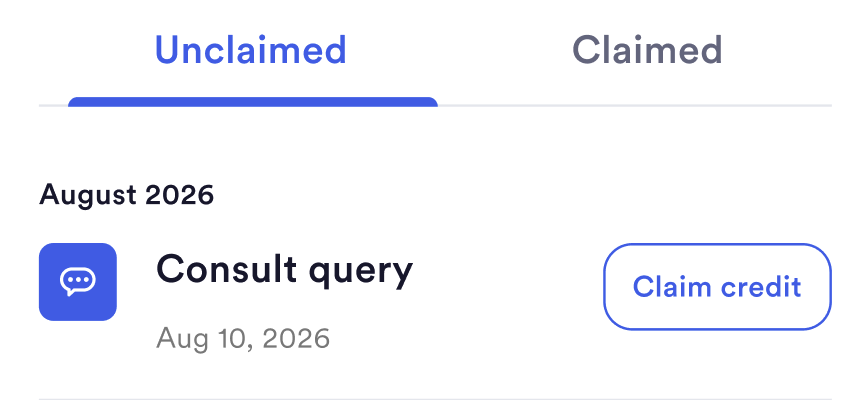
If you do not click “Claim CME Credit” after completing an eligible activity, you can still complete the acknowledgement and attestation statement by going to the Profile page, and navigating to the CME tab. At the bottom of the CME tab, there is an unclaimed section where you can complete the CME redemption process for your completed activities.
How To View Your Credit Balance
The CME tab is found within your Profile page. It shows your current earning period, lifetime credit total, claimed and unclaimed activities, and transcript download options.
Credit Summary
View the total credits earned for your current earning period, your lifetime total, and a breakdown of credits by activity type and each activity’s percentage contribution.
Monthly Chart
See your credit activity over time, giving you a visual record of how CME activity has accumulated across the earning period.
Claimed & Unclaimed Tabs
Review every qualifying activity in the current period, sorted by date and activity. You can finish redeeming any unclaimed credits in the Unclaimed tab by clicking “Claim Credit.” In the Claimed tab, you can view your awarded credits and the activities associated with each credit.
Downloading Your Transcript
At the bottom of the CME tab, you can download your CME transcript for the earning period. Clicking the button provides a PDF copy of earned credits.

Earning Periods
AMA PRA Category 1 credit(s)™ are organized into annual earning periods that run from March to March. Credits earned within a period are tracked and attributed to that period in your activity history and on your transcript. Your profile page displays totals for the current period and your lifetime earned total in the CME tab.
How Jiro Reports AMA PRA Category 1 Credit(s)™
Jiro submits AMA PRA Category 1 credit(s)™ from internal systems to the PARS data transfer system per ACCME requirements via bulk upload.
Data Fields Submitted to PARS
- First and last name (from your profile)
- Date of birth
- Activity completion date
- Total AMA PRA Category 1 credit(s)™ claimed
- Activity type
- State or country of licensure (primary state if multiple licenses held)
- Medical license number
Important To Remember
- Only Physicians (MDs and DOs) are eligible to earn AMA PRA Category 1 credit(s)™. Others may receive designated credits but are responsible for submitting them to their licensing authority.
- You must select “Claim credit” after completing a CME eligible activity and complete the corresponding acknowledgement and attestation statement.
- Selecting “No” on any of the questions in the acknowledgement and attestation statement will result in the credit not being awarded.
- If you forget to claim credit after completing an eligible activity, you can claim it by going to your Profile page, selecting the CME tab, and viewing the unclaimed credits tab.