
How Practice Is Personalized
Overview
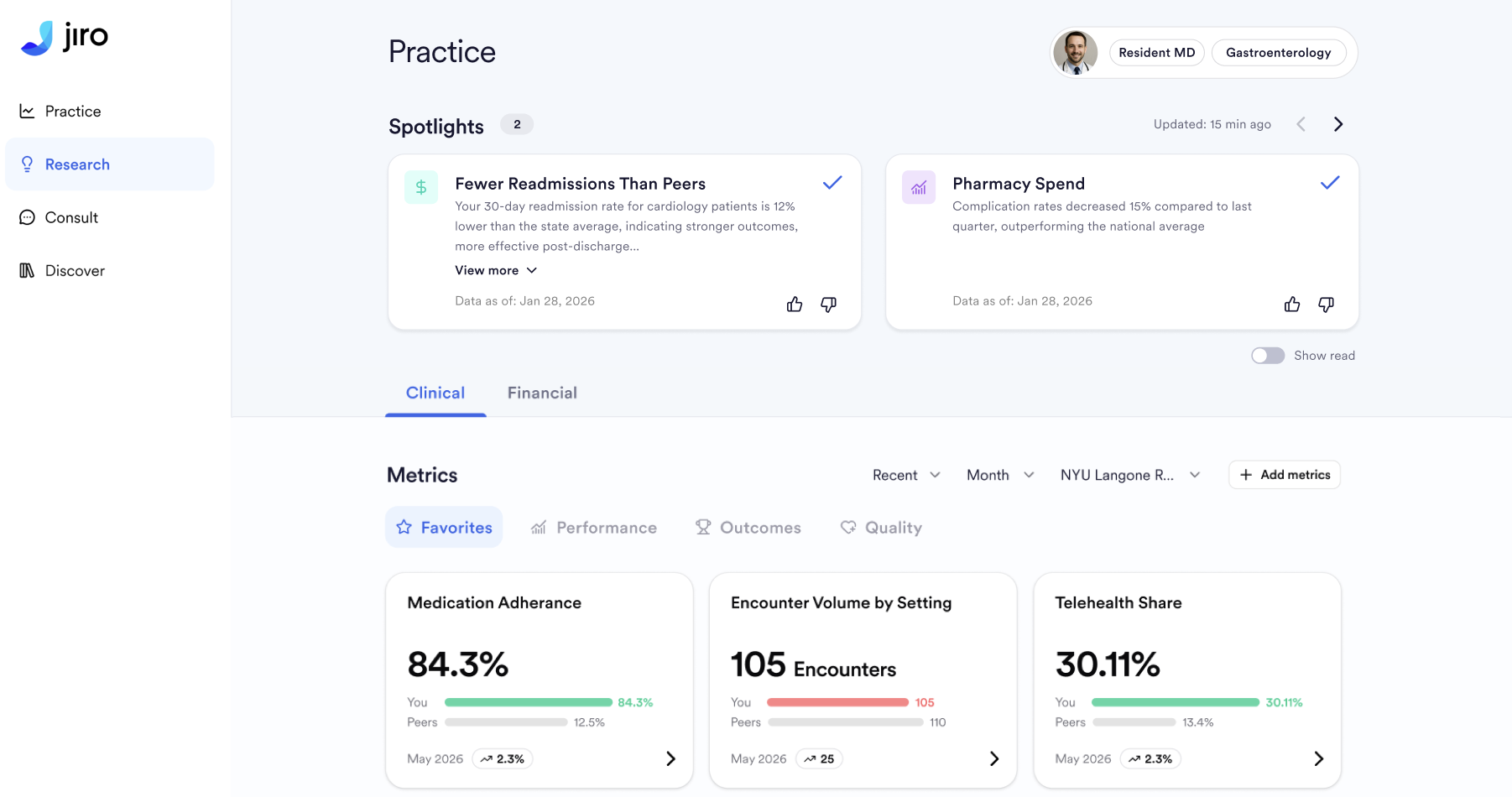
Your Practice experience is built entirely on your practice data: your NPI, selected specialty, diagnoses, procedures, and preferences. This means every Metric and Spotlight reflects your actual patient population and practice patterns, not generic comparisons or population-wide averages. You see signals that are clinically and operationally relevant to your unique practice, so you can track what matters to your patient population, referral patterns, and operational goals.
Available Settings
Your NPI & Claims History
Your National Provider Identifier (NPI) anchors all personalization in Practice. It ensures your dashboard reflects your specific patient population and practice patterns, not generic benchmarks for all clinicians. Your NPI maps to your diagnoses, procedures, prescriptions, and payer mix from de-identified, aggregated claims data, which forms the foundation for every metric on your dashboard.
Your NPI is set when you join Jiro and cannot be changed. It remains the identifier for all your practice data.
Your Specialty Selection
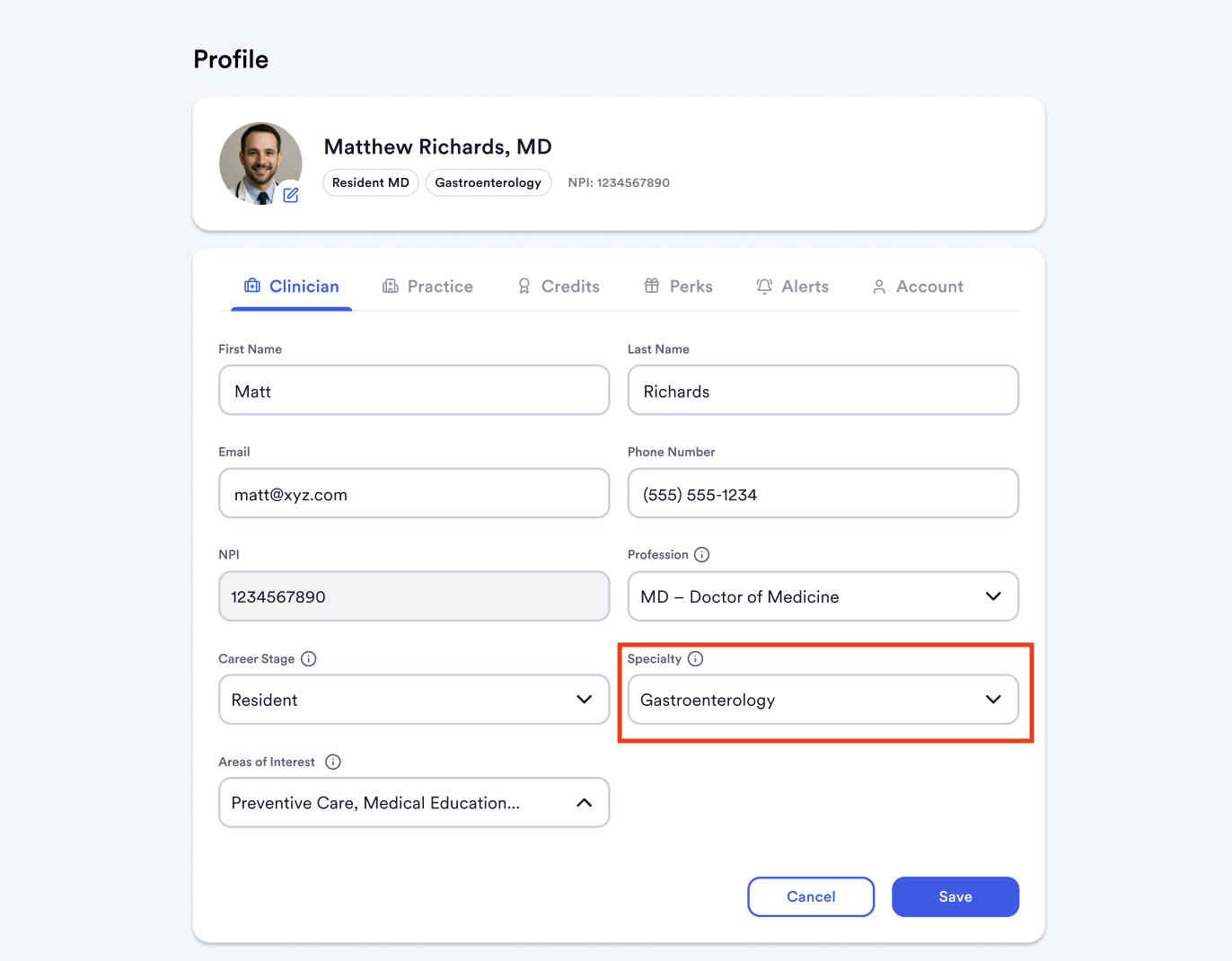
Your specialty defines your peer group. All benchmarks on your Practice page are calculated within your specialty cohort, not across all clinicians nationally. This ensures your comparisons are clinically meaningful.
You can update your specialty at any time from your profile settings. Benchmarks will reflect your updated peer group on the next monthly data refresh.
Your Diagnoses & Procedures
Your diagnosis and procedure mix is derived from your claims history and grouped into clinically meaningful categories. This ensures your metrics and peer comparisons reflect how you actually practice, not raw coding counts.
This data determines which Metrics populate on your dashboard, which Spotlights are generated, and which peer comparisons are most relevant. You cannot manually configure diagnoses or procedures, they update automatically as claims are processed.
Your Initial & Favorite Metrics
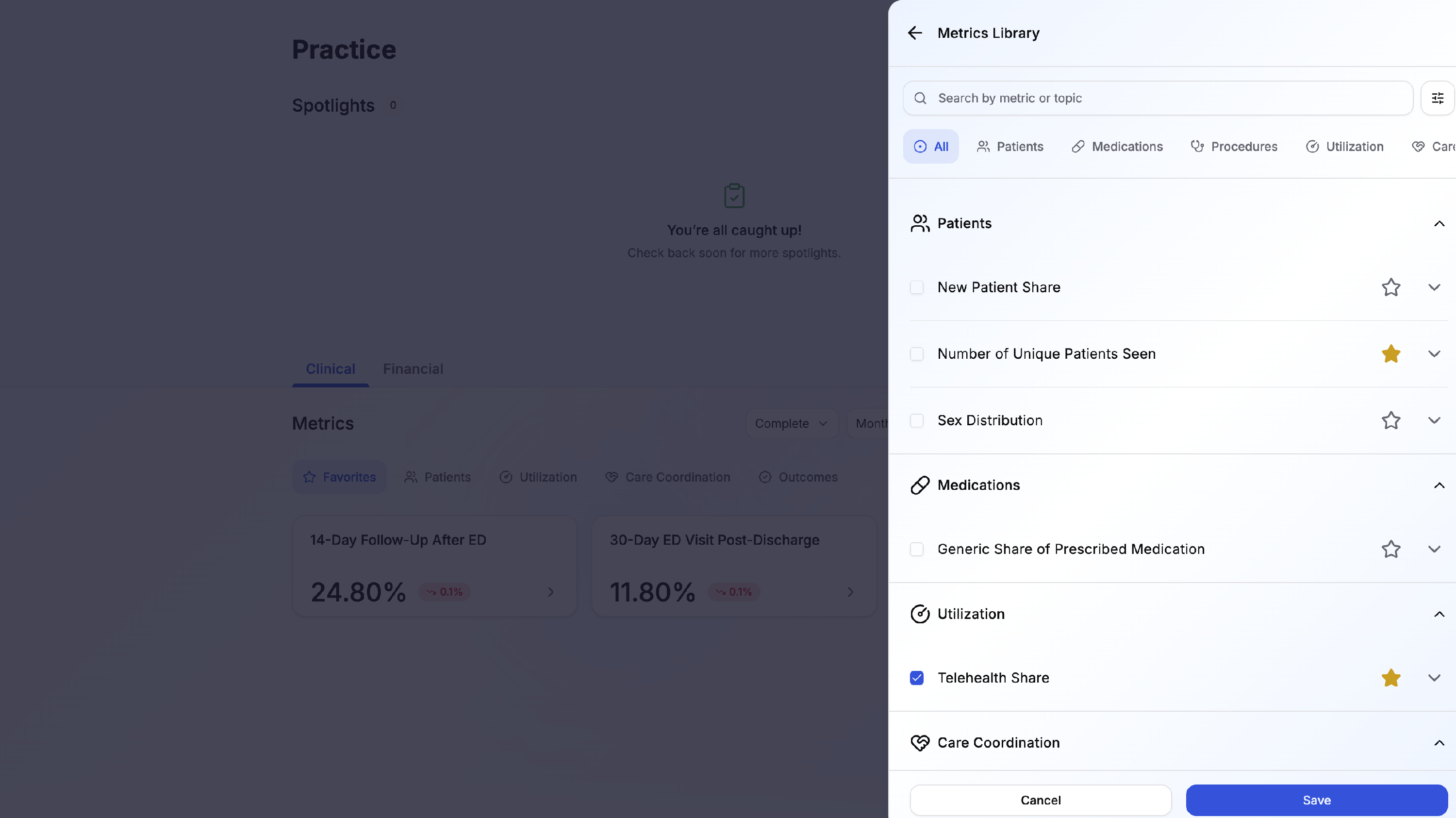
On your first visit to Practice, the Care insights tab loads Metrics cards pre-selected based on your selected specialty. You can also select your favorite Metrics.
To configure favorites and populated:
- Click on the Metrics library button on the top right of the Care insights tab.
- View the Metrics catalog or sort category.
- To populate a Metric in its category, select the check box icon to the left of the Metric name.
- To favorite a Metric, select the star icon to the right of the Metric name.
- You can access your Metrics Library to add, remove, or re-favorite metrics at any time.
All available metrics remain in your library regardless of favorite status.
Your Spotlights
Spotlights surface notable Metrics in your practice each month. Each week, new Spotlights are generated, distributed, and will remain for four weeks. They fall into three categories:
- Peer standing: Your metrics in the top or bottom 15% nationally, by state, or within your facility.
- Meaningful trends: Month-over-month change of 10% or greater, or consistent growth across multiple months.
- Leaderboard moments: Your ranking in the top percentile nationally or by state for a specific diagnosis, procedure, or prescription category.
The algorithm surfaces distinct stories, avoiding closely related Metrics in the same cycle.
You can dismiss Spotlights that no longer feel relevant. Dismissal does not affect your underlying metrics or benchmarks. Historical Spotlights are saved for reference.
Filters & Controls
You can adjust what you see on your Practice page without affecting the underlying personalization.
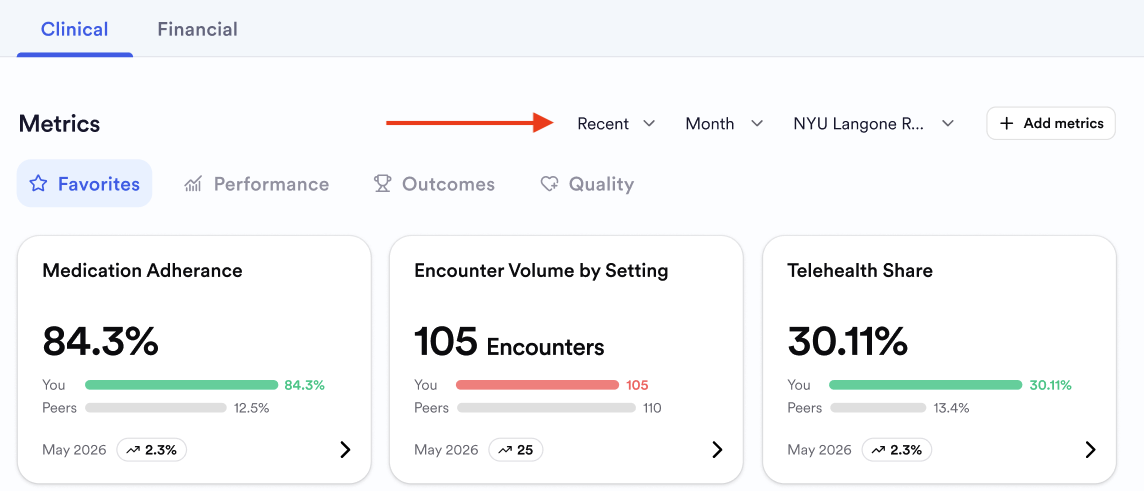
- Time period: View metrics and benchmarks for a specific month or time window. Defaults to the most recent available month.
- Location: Filter by care location if you practice in multiple settings.
- Data quality: Show only time periods with high data completeness. Use this filter to focus on your most reliable numbers.
How Personalization Affects Results
Your NPI determines which claims data populate your metrics, the foundational calculation. Your specialty selection narrows benchmarks to clinicians in your field. Your diagnoses and procedure mix determine which metrics display; broader patient populations surface more metrics than highly specialized practices.
Your favorite Metrics and Spotlight preferences control visibility but not underlying calculations. Dismissing Spotlights or filtering by time period and location changes only what you see, not your Metrics themselves.
Monthly data refreshes keep your personalization current. As new claims flow in, your Metrics are recalculated with the latest data and new spotlights are generated. This ensures your Practice page always reflects your most recent patterns.
Data Availability
Claims data typically has a lag of up to 6 months. As your claims become available, your dashboard becomes richer and more precise. If you have limited claims history (for example, if you recently joined your organization or changed NPIs), some Metric categories may show fewer data points until sufficient claims volume is processed.
If your Practice appears to have missing data or unexpected numbers, try filtering by data quality to focus on your most complete months, then allow a full monthly refresh cycle. If the issue persists, reach out to support via the help beacon.